Hello friends, here is an interesting piece of Tutorial which can be used to Unlock Windows Phones 8/8.1. we show you how to install the Windows Phone 8.1 Developer Preview on your device. Note that the the preview might void your warranty.
If initially your not part of Preview For Developers or Developers account you can use this Chinese hack to Unlock your phone.{AT YOUR OWN RISK}
But if you are already signed up to the developers account or wanted to sign up to developers account follow below steps.
To Create a free Developers Account/Preview For Developersand have Updated your phone Other wise skip this step -
Instructions -- Become a “developer”
- Make a real developer account for $20/year at the Dev Center Or get a free account through the App Studio (RECOMMENDED)
- Install the Preview for Developers app
- Launch the Preview for Developers app, check the box, click “done”
- Go to settings -> phone updates, and check for updates
- Install the 8.0.x update, preparing you for 8.1
- Then, check for updates again, and install the 8.1 update
Register a Windows Phone for Development (Developer Unlock)
- If you are just an end user who wants to unlock the phone to deploy some apps, download the Windows Phone Mini SDK (For WP8) (64MB) from here. (Mirror) and for Windows Phone Mini SDK (For WP8.1) here.
- Install the Mini SDK or the Full SDK on your Windows PC.
- Connect your Windows Phone device to the PC using a USB Cable and wait for the drivers to be installed (if they are not already installed).
- Click Start and type Developer Registration. Now open Windows Phone Developer Registration app.
- Make sure that the screen of your Windows Phone is unlocked and click on Register in the bottom-right of Developer Registration App. Click retry if it says that the phone is not detected.
- Login by entering your Microsoft Account credentials. You do not need to be registered as a developer to do the unlocking, hence any Microsoft Account will work.
- Let the Developer Registration app register your phone for development and you can deploy local/cracked apps thereafter.
Difference between WP8 Mini SDK and Full WP8 SDK
WP8 Mini SDK
- Contains only the Developer Registration and App Deployment tools.
- Size – 64MB.
- Works on Windows 7 or later (both 32-bit and 64-bit)
- Good for App Deployment.
- Quick Install of 5 minutes.
WP8 Full SDK
Install Unlimited Dev unlocked Apps on Windows phone 8.1 (Remove 2 Xap or 10 Xap limit)
In this trick we will show you how to install unlimited apps on windows phone 8.1 developer unlocked device.
Normal limitations are 2 Xap for SDK unlock and chinese tool givies you 10 Xap, But now you can deploy N number of app and games on your dev unlocked device without any limitation. (Ofcourse You need space to deploy them)
Instructions:
You Should have Dev unlocked device updated to wp 8.1 and your phone supports memory card
Stages:
- Full set of tools used for development purpose.
- Size – Around 3.5GB (inc. Visual Studio)
- Works only on 64-bit version of Windows 8.
- Needed for Development.
- Takes more than 30 minutes to install on an average PC.
Install Unlimited Dev unlocked Apps on Windows phone 8.1 (Remove 2 Xap or 10 Xap limit)
In this trick we will show you how to install unlimited apps on windows phone 8.1 developer unlocked device.
Normal limitations are 2 Xap for SDK unlock and chinese tool givies you 10 Xap, But now you can deploy N number of app and games on your dev unlocked device without any limitation. (Ofcourse You need space to deploy them)
Instructions:
You Should have Dev unlocked device updated to wp 8.1 and your phone supports memory card
Stages:
- Remove the sd card from phone
- Install any cracked Xap application on Phone
- Reinsert sd card and restart phone
- Now move all cracked application to sd card using storage sense
- All the DEV apps should be moved to card now.
- Again, install more cracked Xap applications by removing sd card
- Again move all cracked application to sd
- Reinsert sd card and restart phone
- Repeat the process for all your apps
Cracked Apps Store- Download Cracked Apps for Windows phone Here
http://windowsphonehub.in/apps/
Thank you for Reading this post. :)
 Vocal Removers are the software that uses advanced sound processing technology to remove vocals and signings from music. These software will automatically create a brand new instrumental MP3/WMA (karaoke track) from your original MP3 file. Software are very helpful if you want to learn singing with karaoke music.


 Wow, Amazingly Microsoft jumps from Windows 8.1 to Windows 10 bringing their old Windows Start experience back. Windows 10 will run on the broadest amount of devices. A tailored
experience for each device,” said Terry Myerson, Microsoft Executive VP
of Operating Systems. “There will be one way to write a universal
application, one store, one way for apps to be discovered purchased and
updated across all of these devices.
Wow, Amazingly Microsoft jumps from Windows 8.1 to Windows 10 bringing their old Windows Start experience back. Windows 10 will run on the broadest amount of devices. A tailored
experience for each device,” said Terry Myerson, Microsoft Executive VP
of Operating Systems. “There will be one way to write a universal
application, one store, one way for apps to be discovered purchased and
updated across all of these devices.
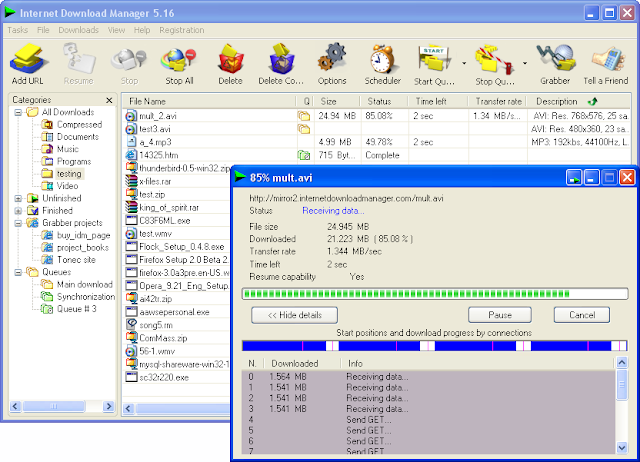 Unlike other download managers and accelerators Internet Download Manager segments downloaded files dynamically during download process and reuses available connections without additional connect and login stages to achieve best acceleration performance. I have been using IDM for last 2 years and it's really a nice download manager. People often get addicted to it and don't want to uninstall it at any cost. People who purchase a licence enjoy it working without any problem but those who use "fake key" (downloaded from torrent clients) suffer from the message "Internet Download Manager has been registered with a fake serial number or serial number has been blocked. IDM is now exiting.......".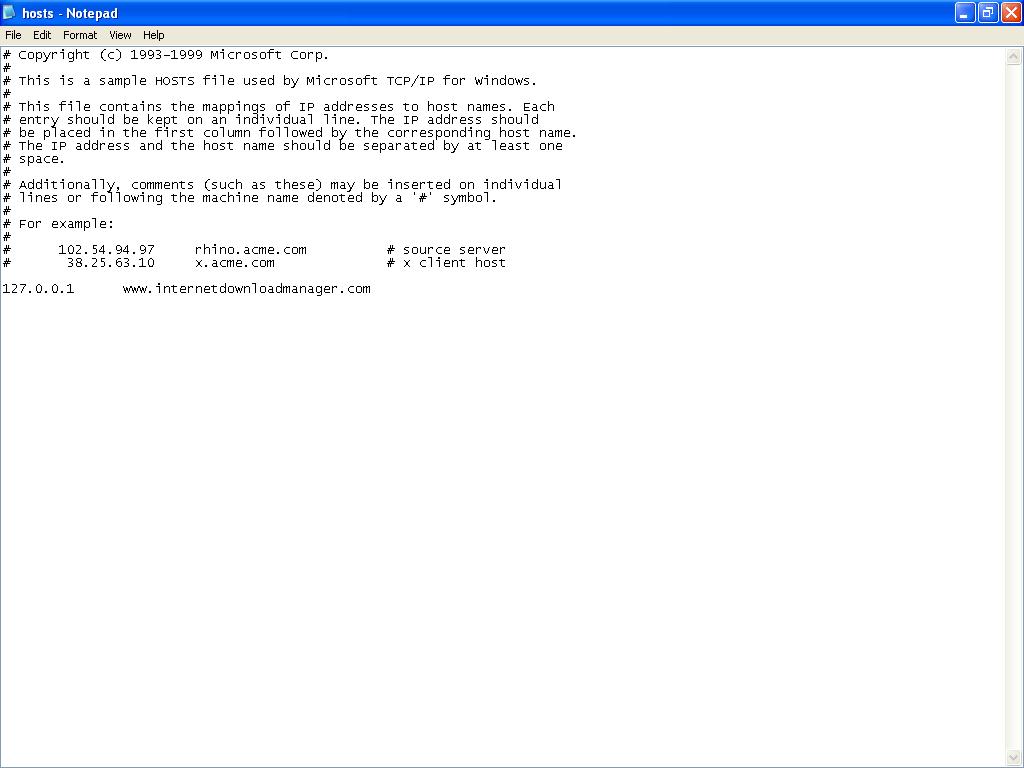
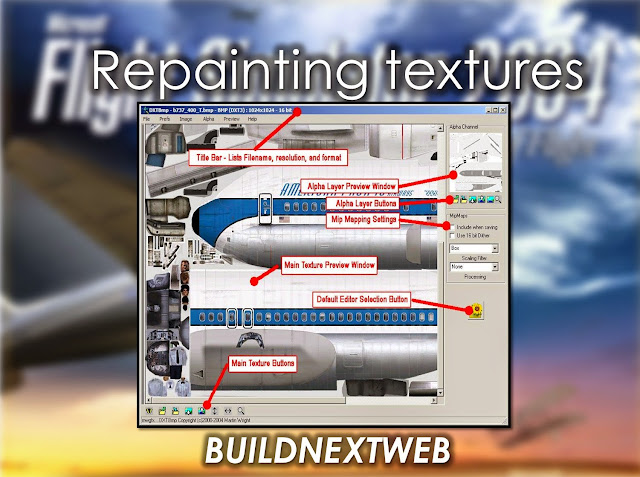
 In this article we will come across to some of the best applications available so far to covert a ordinary still pictures to a 3D model.
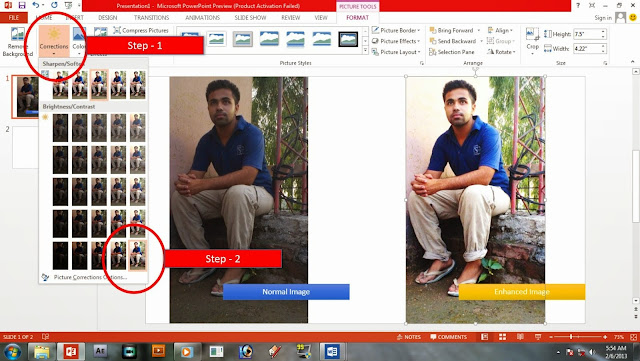
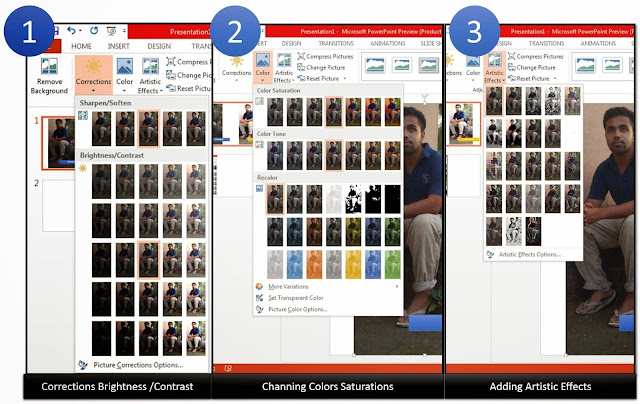
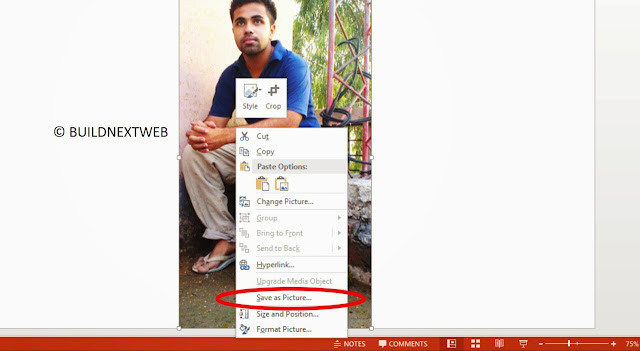
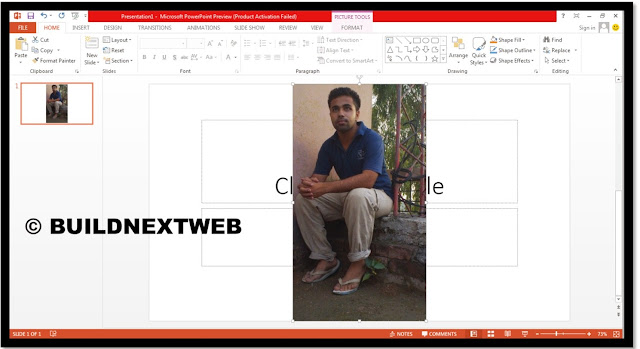 We all are aware of Photoshop, but very little people knew about its interface and usage. Here is another alternative way to edit photos ever functionality.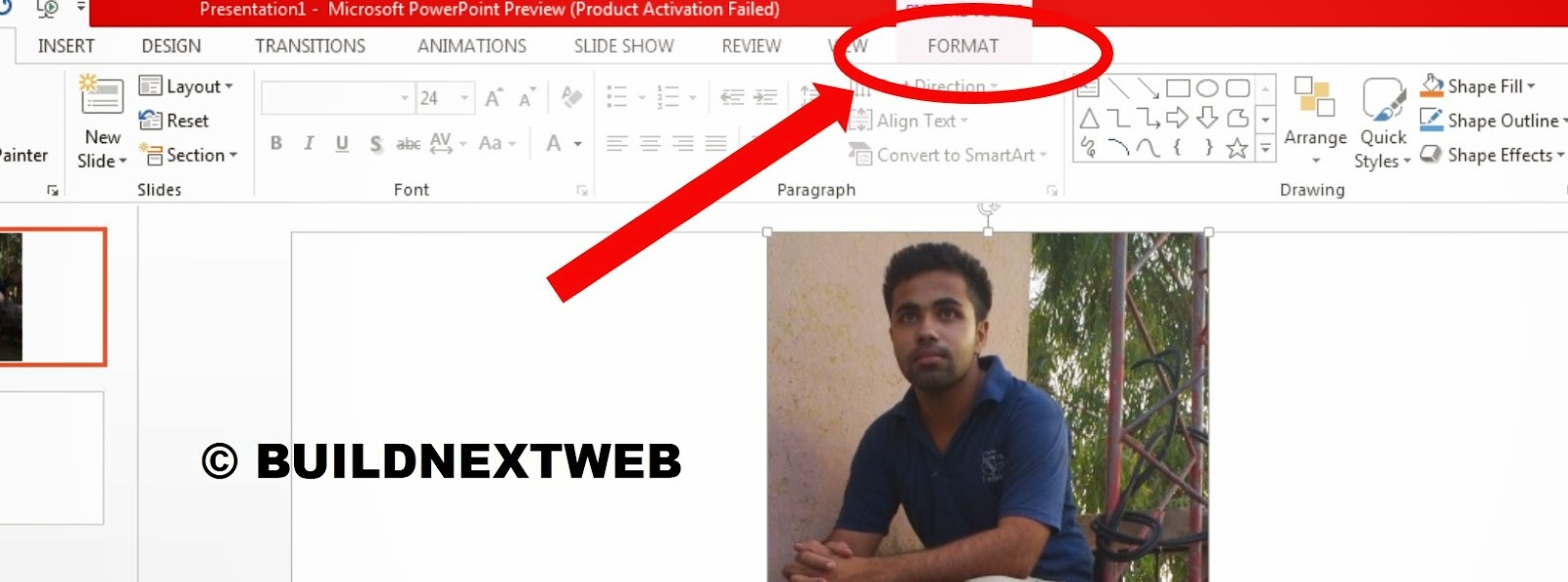
 Hello friends, today we will check out the tools that tells us the information about our pc's last activities and for how much time it had been turned on. TH application is very useful and simple to use.
 Windows Phone Store is the one of the fastest growing store with the
best and much useful apps and games ever developed for any other
platform. Even I am personal user of Windows phone 8.1 and have never
felt of being pushing it back. Turning to the main topic, Games for
Windows phone are quite best in graphics and in functionality, even with
the entry level phone Windows Nokia lumia 520. Here i have played some
games, which seems to be best. Lets see them.
Windows Phone Store is the one of the fastest growing store with the
best and much useful apps and games ever developed for any other
platform. Even I am personal user of Windows phone 8.1 and have never
felt of being pushing it back. Turning to the main topic, Games for
Windows phone are quite best in graphics and in functionality, even with
the entry level phone Windows Nokia lumia 520. Here i have played some
games, which seems to be best. Lets see them.